In this article
Extended support is enough when it closes the actual need of one application for the period you are deciding about, and the age of the application is not a need by itself. The test is the same for any kind of support, vendor or third-party software support: what the contract covers, what it leaves open, and what each path costs over the same period for the same result. If both paths meet the need, support wins.
What extended support actually covers
Coverage is a property of the contract, so the decision starts with the terms, read line by line.
Extended support here means any paid arrangement that keeps fixes coming for a product after its regular support ends, from the original vendor or from a third-party provider. Two sets of public terms show what to look for: Microsoft's lifecycle FAQ for its Extended Security Updates (ESU) program, and the public service-level terms of HeroDevs, a third-party support provider, for one end-of-life content management system (the subscription terms on it are dated September 23, 2024). Neither is assessed here.
Check seven terms in your own contract:
- Product and shipped components. Check which product the terms name and what came with it. Microsoft: "This program covers only the named product and the components that shipped with it". Your own code sits outside that scope; the HeroDevs service "excludes custom modules".
- Version and platform. Check on which version and platform the product stays supported. HeroDevs "will continue to support Drupal 7 running on the same versions of PHP as were supported at end of life". That is the condition of one provider; the Microsoft passages quoted here state no platform condition, so each contract needs its own reading.
- Fix types. Check which kinds of fixes arrive. Microsoft: "ESUs do not include new features, customer-requested non-security updates, or design change requests". The Fixed Lifecycle Policy shows the same pattern for each support phase.
- Fix-time guarantee. Check whether the terms promise a fix within a set time. Microsoft: "Extended Security Updates will be distributed if and when available". HeroDevs sets response times by severity and keeps "sole discretion to reset the severity".
- Technical support. Check whether help with incidents is part of the deal. Microsoft: "technical support isn't included in the ESU program"; limited help with installing updates and with regressions they cause comes through a separate paid support plan.
- Period. Check how long coverage lasts and from which date. Microsoft: "coverage will be available for up to three years following the end of support date". Years are bought in sequence, and a late start means paying for the months already missed.
- Lifecycle status. Check the status of the product while covered. Microsoft: "The ESU program does not extend the product's lifecycle". For anyone who asks about software past its end-of-support date, a covered product is still past that date.
Needs that support does not close
An application upgrade earns its cost only when it solves a problem that support leaves open. Three such needs follow from the terms above. The examples are generic; the status of any named product belongs to that vendor's pages.
- A platform step the application holds back. Some terms keep the product on the platform it had at end of life, as the version and platform term above shows for one provider. Where your terms do, and the business needs the next operating system, runtime or database and the application cannot run there, support does not close the need.
- No fix channel for a component. A component built from source gets a fix only when someone builds and ships it. When nobody does that for the version in use, support bought for the surrounding product leaves the component without a channel.
- An evidence request. An outside party, such as an insurer or an auditor, may ask whether software past its end-of-support date is in use. One public example is the Information Security section of a small-business application form from the insurer Chubb (PF-48204, 2016), which asks about software "officially retired (i.e. considered "end of life") by the manufacturer". It is one form, not a rule for all insurers. Support does not change that status: Microsoft states that the ESU program "does not extend the product's lifecycle". How a particular questionnaire treats purchased support is a question for your broker, before the answer is written.
Telling which of these needs applies to one application, if any, is diagnostic work, and it comes before paying for either path.
Compare full cost over one period
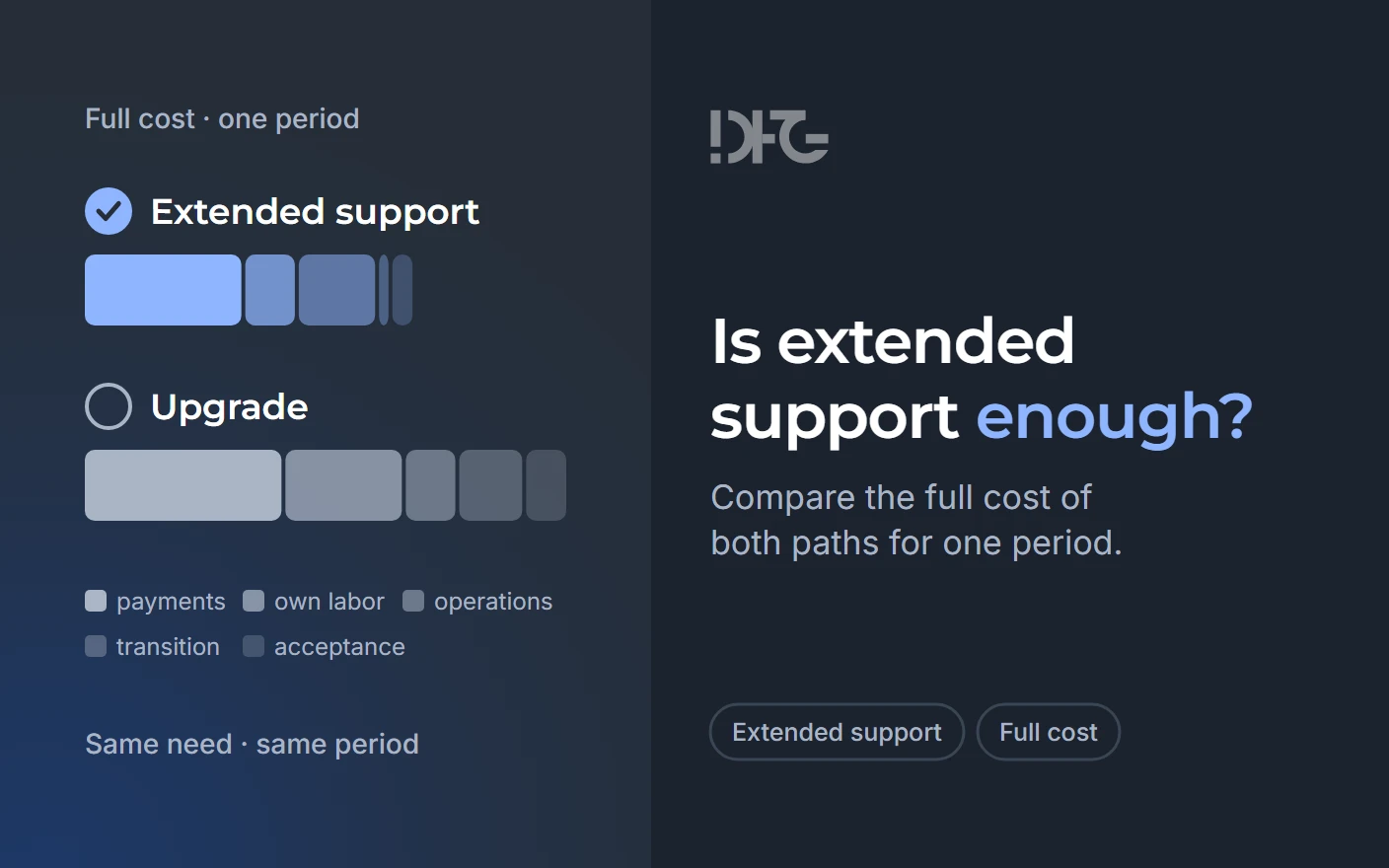
The comparison that decides is the full cost of two paths over one period for one result. A support fee set against a project quote compares different scopes over different periods.
Three rules keep the comparison fair. Both paths deliver the same result over the same period: the need closed for that period. Money already spent stays out: a Software Assurance agreement or subscription you already hold counts on neither path, while one bought only to qualify for support counts on the support path. Your own team's time counts, even when nobody invoices it.
The period is the coverage that remains on the date of the decision, which can be shorter than the vendor's maximum, because the maximum runs from the end-of-support date. Support can win on that period and still leave the platform question open at its end, as the decision rule below states.
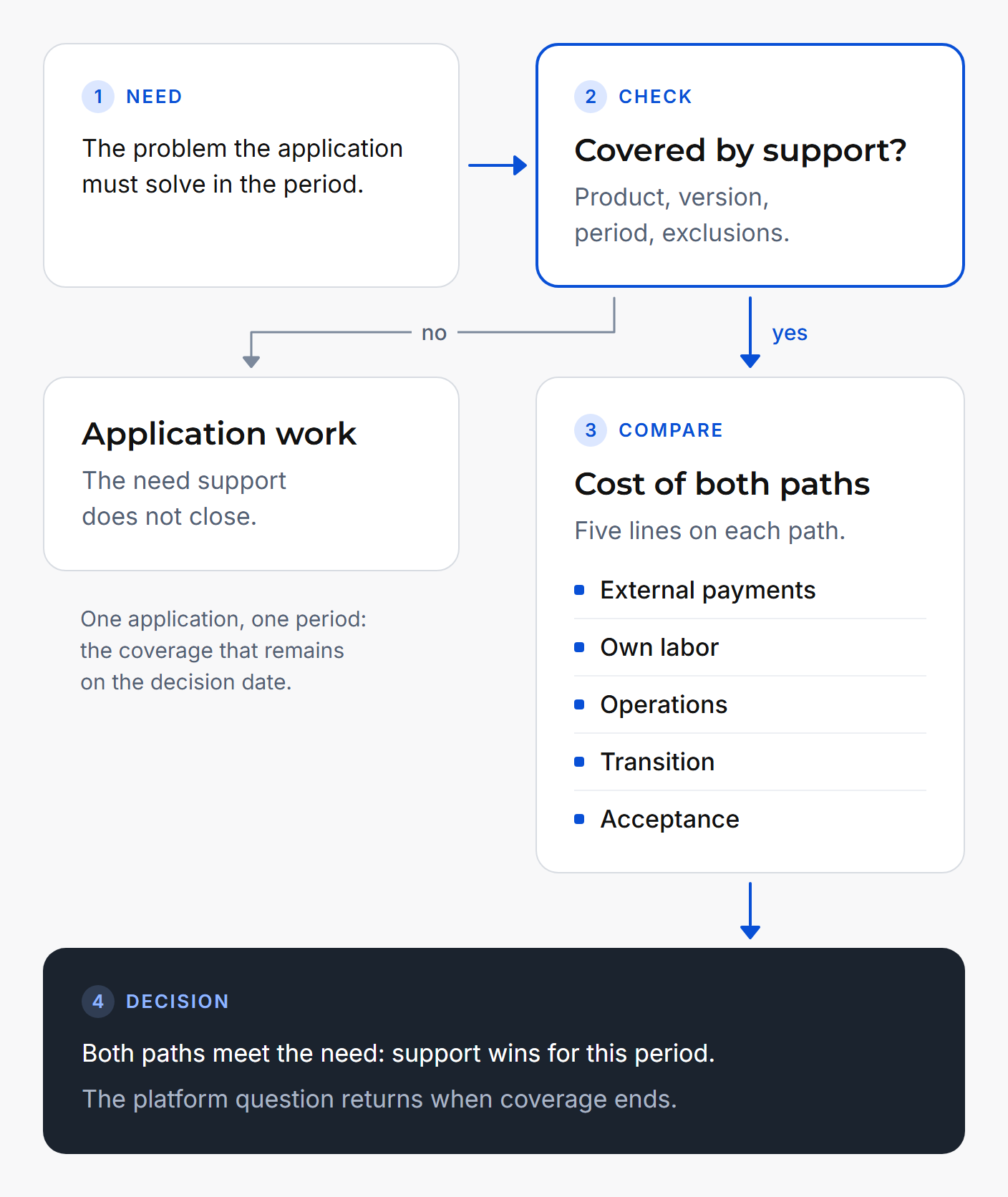
Each path carries all five cost lines:
| Cost line | Support path | Upgrade path | Who confirms the number | Open question |
|---|---|---|---|---|
| External payments | Fee for each year of coverage; prerequisites such as Software Assurance or a subscription, if bought for support; a paid support plan, if needed | Work on the application; target platform licenses; tools | Procurement and CFO | Which prerequisites are already held, and so are past spending |
| Own labor | Hours to install and test each fix cycle and keep compensating controls in place | Time of subject-matter experts and process owners; reviews; data and environment preparation | Head of application development | Which hourly rate applies: salary, full employer cost or the value of work set aside |
| Operations | Old environment; compensating controls; incidents outside coverage | New environment; a period when old and new run side by side | Operations or infrastructure | How long both environments run at once |
| Transition | Onboarding, including missed months on a late start; the move off the old platform, deferred to the end of coverage and named here without a price | Move, cutover, rollback plan, training, change freeze | Application owner and business process owner | Whether data migration belongs to the upgrade path |
| Acceptance | Checking after each fix that the key workflows still run | Showing that the changed application runs the named workflows | Business process owner and head of QA | Whose checks count as acceptance |
The lines that arrive without an invoice drop out first. Own labor is the clearest case: nobody bills the hours of the team that tests each fix cycle. Old-environment operations sit in another budget, and the support path's transition is deferred. Leaving these out makes support look cheaper than it is; leaving old-environment operations out of the upgrade path does the opposite. All five lines on both paths remove the tilt. This reads the cost structure and measures no frequency.
An illustrative 24-month comparison
The 24 months are an assumption of the example, not the length of any support term; the coverage that remains for your product may be shorter.
These are illustration inputs, not supplier quotes.
The support provider in the example is a generic vendor, and no amount is a price of any vendor or of DFG.
| Cost line | Support path | Upgrade path |
|---|---|---|
| External payments | $120,000 | $150,000 |
| Own labor | $40,000 | $90,000 |
| Operations | $60,000 | $40,000 |
| Transition | $10,000 | $50,000 |
| Acceptance | $15,000 | $30,000 |
| Total | $245,000 | $360,000 |
In this example both paths meet the same need for 24 months, so the cheaper path wins: support, by $115,000. Own labor and transition on the upgrade path decide it: together they exceed the support path by $90,000. The outcome would shift if the upgrade fell below $245,000, or if a platform step needed inside the period were left open by support, because then the paths no longer meet the same need. The example shows the frame at work and gives no general answer.
When support wins and when it does not
If both paths meet the need for the period, support wins. Buying support for that period is a sound decision, and the comparison shows when it is one.
- Name the need the application must meet in the period, and check the support terms against it.
- If support closes the need and the upgrade closes it too, support wins for the remaining coverage.
- If support leaves the need open, application work is justified for that need, and the five cost lines show what each path takes.
- If the need is unclear, find it before pricing either path.
Where this rule stops. Support wins on this period and buys time; the platform question stays open at its end. Microsoft calls ESU "a last resort paid option" and "a temporary bridge to stay secure while one migrates to a newer, supported platform", and states that "The ESU program does not extend the product's lifecycle". When coverage ends, the decision comes back, and the comparison runs again.
Bring one application to the discussion
DFG does application work, and it says so when support is enough. The useful next step is to bring one application's support terms and its unresolved blocker to the discussion.
Frequently asked questions
When is extended support enough for a legacy application?
Extended support is enough when it closes the application's actual need for the coverage that remains on the decision date. If an upgrade would meet the same need over the same period, support wins. If a need stays open, such as a platform step the application holds back, support alone is not enough.
What does extended support usually not cover?
Vendor terms usually leave out your own code, new features, customer-requested non-security updates and design changes. Microsoft's ESU terms add that updates arrive "if and when available" and that technical support is not part of the program. Third-party terms can keep a product on its end-of-life platform versions.
How do we compare the cost of support and of an upgrade fairly?
Compare both paths over one period, the coverage left on the decision date, for one result: the need closed for that period. Count five lines on each path: external payments, own labor, operations, transition and acceptance. Leave out money already spent, and count your team's hours.
Which costs are most often left out of the comparison?
The lines without an invoice: own labor, old-environment operations and transition. Leaving them out of the support path makes support look cheaper than it is, so the result tilts toward support. Counting all five lines on both paths removes the tilt.
Is the age of an application a reason to upgrade it?
Age alone is not a need. An application earns an upgrade when it blocks something the business requires and support cannot close it: a platform step, a component without a fix channel, or an evidence request. An old application whose support covers the need for the period can stay on support.
What if support covers security fixes but not a platform change?
Then support closes one need and leaves another open. Check whether the terms keep the product on its end-of-life platform; one third-party provider's terms do. Microsoft's ESU terms state a separate limit: they exclude "new features" and "design change requests". Price the upgrade path for the platform need over the same period, on all five cost lines.
Who should confirm each number in the comparison?
A workable split: procurement and the CFO confirm external payments; the head of application development confirms own labor; operations or infrastructure confirms operations; the application owner and the business process owner confirm transition; the business process owner and the head of QA confirm acceptance.
What should we bring to a discussion of one application?
Bring the support terms that cover the application today, with the product, version, period and exclusions they name. Add the blocker that support leaves open and the coverage that remains on the decision date. With these, both paths can be compared on the five cost lines for one result.