In this article
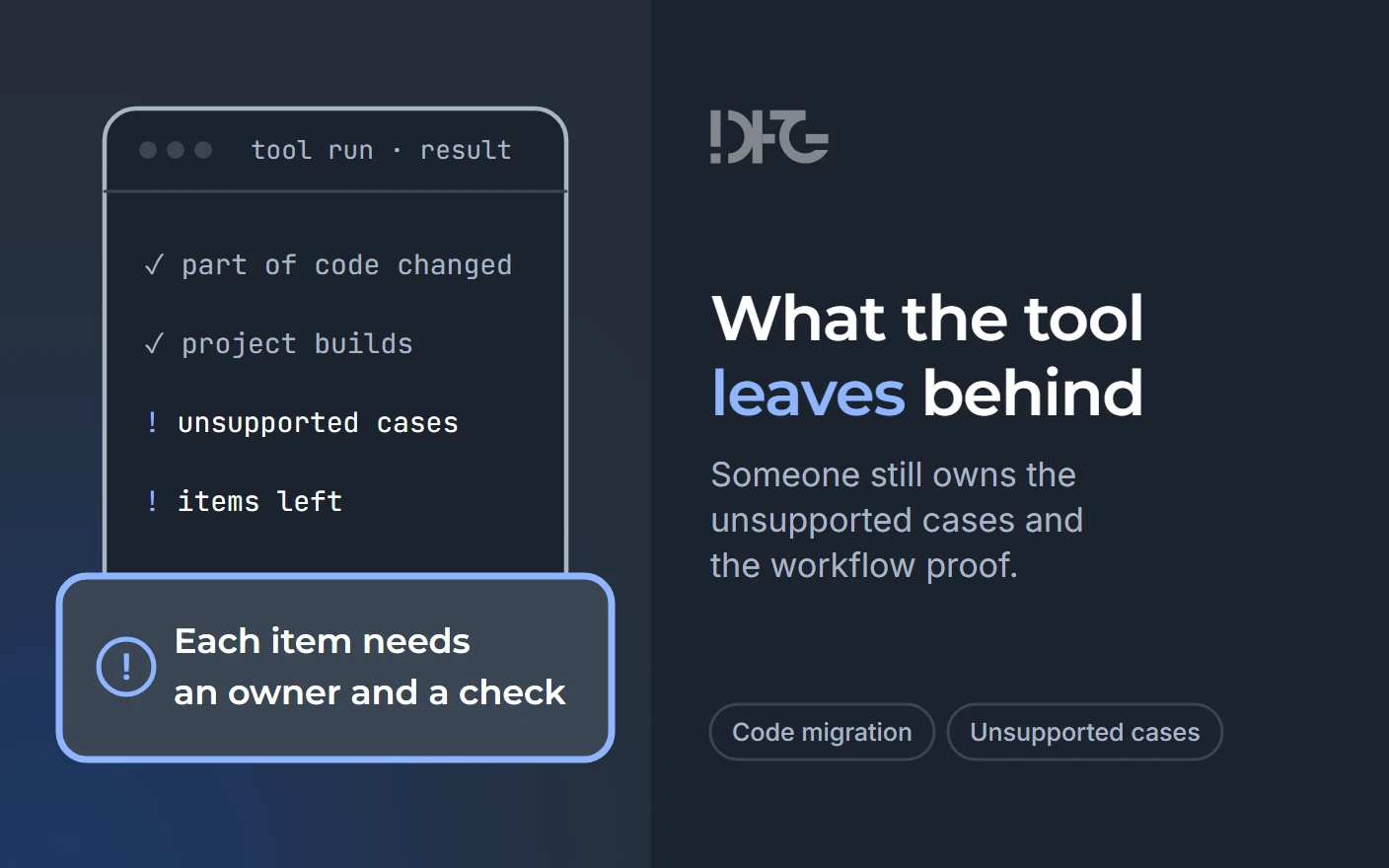
When code migration tools finish a run, the code is converted, and the unsupported cases and the proof that the application's workflows still work stay with the delivery team. That remaining work is a list in which every line has an owner and a check, and its size decides whether the incumbent team can finish it.
What a migration tool does and does not do
A migration tool converts code and checks that the result builds, and accepting the application is a separate decision of its owner. The vendors' documentation draws the same line.
| What the tool does | What stays with the delivery team |
|---|---|
| GitHub Copilot modernization "Suggests and applies code remediation" (Microsoft Learn) | Reviewing each change and resolving what the tool could not fix |
| It "Verifies that the project builds successfully after remediation" (same page) | Showing that the important workflows still give the expected results |
| Its agent to "Validate behavioral integrity with unit tests" is what the tool counts as a check | Deciding whether passing unit tests are enough to accept the change |
| AWS Transform for .NET takes change requests until the job is marked complete | Closing the tool's job: "Transformation is not complete until you say it is" (AWS Transform) |
Examples of application migration tools are GitHub Copilot modernization, AWS Transform, IBM AMA Dev Tools, AppCAT, Moderne and OpenRewrite. The first two are AI code migration products: Microsoft calls GitHub Copilot modernization "an AI assistant", and AWS calls its .NET tool "a generative AI-powered agent".
Prepare before the run
Three things have to exist before the tool runs, because every later check compares against them.
- A reproducible build and starting state. The application builds from source control, its dependencies are reachable, and its current behavior can be observed. Microsoft's upgrade quickstart requires "A Git-managed Java project using Maven or Gradle" (Microsoft Learn); AWS asks that private packages be available locally.
- A representative fragment. Choose it by what the run has to prove about the application, and the simplest file in the codebase cannot show that.
- The expected result, written down. Record what a correct outcome looks like for the workflows that matter. AWS's pre-transformation advice includes "Have a validation plan"; Microsoft's upgrade plan lists steps "with rationale and verification criteria", which a person confirms before execution (Microsoft Learn).
Part of the remaining work is visible before the run. Microsoft describes its assessment tool AppCAT as giving "recommended fixes and a comprehensive report that helps you apply changes". Among its benefits, the page lists the ability to "Automatically catch dependencies and linkage that requires attention before migration to Azure" (Microsoft Learn, AppCAT overview).
What the tool leaves
The output of a migration tool is a list of remaining work, and every line on that list needs an owner and a way to check it.
Across the vendor documentation for Java and .NET tools, the remaining work falls into a few recurring classes. The first is code the tool cannot fix, which the vendor reports as unresolved issues. The second is components outside the tool's scope, such as native libraries or projects without a project file. The third is dependencies with no compatible version, and the fourth is runtime errors and behavior differences that show up only when the application runs. Proof that the workflows still work is handed to the application's owner and QA. The vendor pages reviewed here cover Java and .NET. They give no comparable account for PHP, so nothing on PHP is claimed from them.
The vendors' own documentation lists what their tools leave. The final report of a GitHub Copilot modernization upgrade has a section "Limitations — any unfixable issues remaining after the upgrade" (Microsoft Learn). AWS Transform for .NET does not transform "Win32 DLLs that don't have core compatible libraries" or "Web site projects without a project file" (AWS Transform user guide). After the run, AWS points to a Next Steps file "to understand what tasks still remain" (AWS Transform). Its pre-transformation advice hands finalization "to an AI code companion", and that work "might include identifying and correcting runtime errors, behavioral issues, and UX styling".
IBM's tutorial for AMA Dev Tools (IBM Developer) splits fixes into automated and self-directed ones. Its sample application is "slightly different from the version supplied in AMA" for demonstration purposes. Self-directed fixes "guide you through code changes that require developer judgment". The example shows how fixes are divided, not how much manual work a real application needs.
Vendor documentation proves nothing about one application, yet an admission of one's own limits carries weight: the vendor gains nothing by writing it.
Even in favorable conditions, developers edited or wrote a large share of the changes. Google's peer-reviewed study (arXiv 2504.09691, preprint of an ACM FSE 2025 paper) covers 39 migrations and 595 changes. In its Table 1, 214 changes (35.97%) were accepted without human edits, 229 (38.48%) were edited by developers after review, and 152 (25.55%) were written entirely by developers. These shares count changes; by volume of edited code, the model's share is larger. Code owners reviewed every change.
All 39 migrations were one repetitive change, identifiers moved from 32 to 64 bits, inside Google's internal monorepo, with one internal model. Study participants were also involved in building the system. The time saving is self-assessed, with no control group and no wall-clock effort measurements. The figures describe Google's setting only.
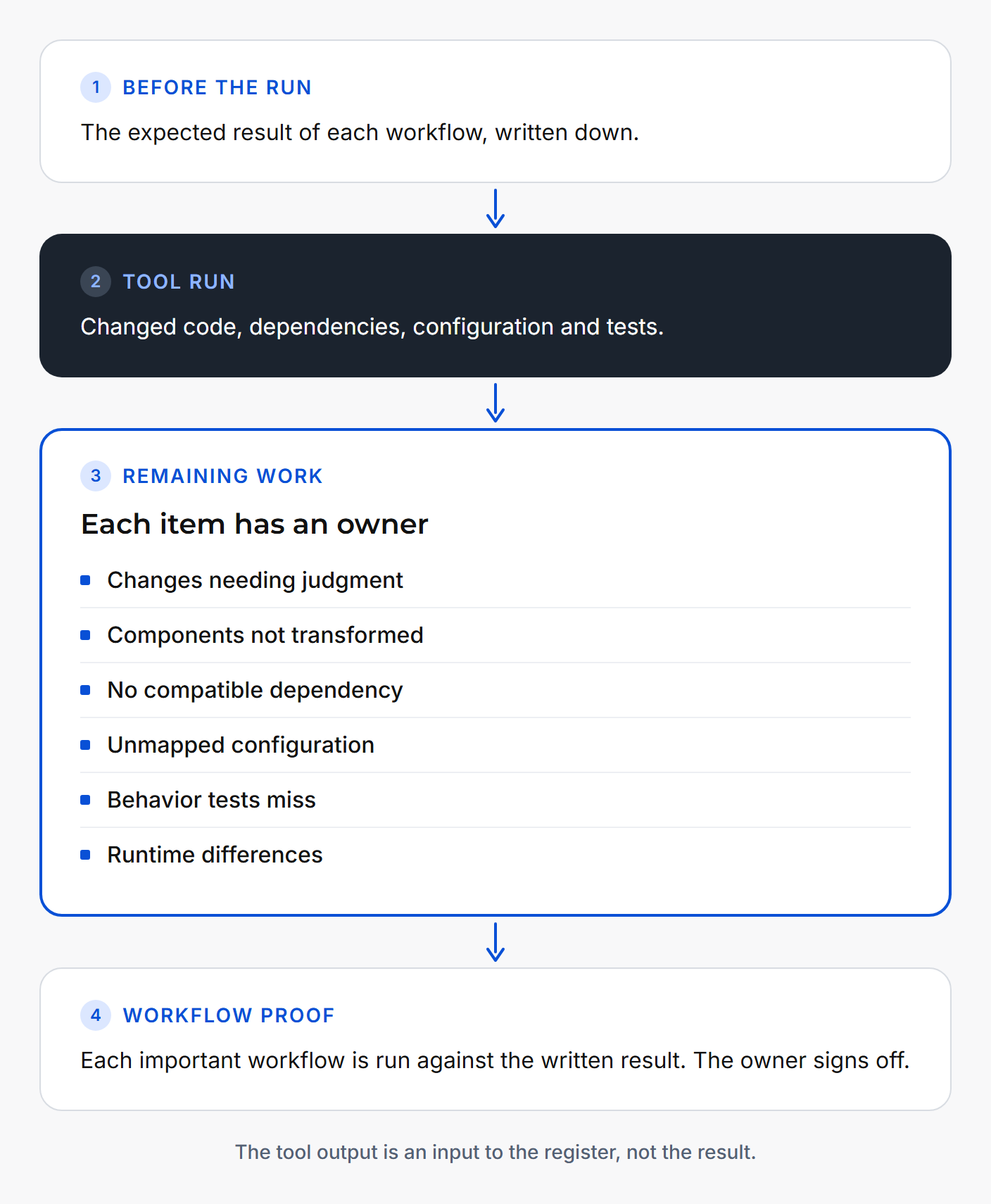
The register below is a working template: each class of remaining work gets an owner and a check against the expected result written down before the run.
| Tool step | What it produced | Unsupported case | Who resolves it | How the workflow result is checked |
|---|---|---|---|---|
| Code remediation | Changed code and open issues | Changes left for a developer's judgment | Developer | Run the affected workflow |
| Transformation | Transformed projects | Components the tool does not transform | Developer; owner decides replace or keep | Run the workflows that use them |
| Dependency upgrade | Updated dependencies | Dependency with no compatible version | Developer; owner approves the substitute | Build, then run the workflows that call it |
| Configuration and CI/CD | Proposed configuration changes | Settings the tool could not map | Operations, with the developer | Deploy to a test environment and run the workflow |
| Tests | Migrated or generated unit tests | Behavior the unit tests do not cover | QA | Run the uncovered workflows |
| Runtime behavior | An application that builds and starts | Runtime errors and behavior differences | QA or operations; owner signs off | Run each important workflow |
Integrations and configuration appear in the vendor documentation as risk areas more than as automated outcomes. Microsoft's upgrade plan has an impact analysis that covers "dependency changes, source code changes, configuration changes, CI/CD changes, and risks" (Microsoft Learn), so configuration and pipelines are things to review, not things the tool settles. The preconditions point the same way: Microsoft requires access to Maven Central for Maven projects and does not support the Kotlin DSL for Gradle, and AWS asks that private packages be available locally. The calls an application makes to external systems appear on the vendor pages only through the runtime errors and behavior issues that AWS hands to finalization. An integration shows its state only when a workflow runs against real endpoints, credentials and settings.
An illustrative tool run
Illustrative, synthetic example: a migration tool runs on the reporting module of an internal application. The row is invented to show how a register line reads and is not drawn from a real project.
| Tool step | What it produced | Unsupported case | Who resolves it | How the workflow result is checked |
|---|---|---|---|---|
| Framework and dependency upgrade | Upgraded code that builds; export library flagged | The monthly PDF report export needs a library with no compatible version | Developer picks a replacement; application owner approves it | Generate the monthly report from the same input and compare it with the expected output written down before the run |
Can the incumbent team finish it
Whether the incumbent team can finish the work follows from the size and nature of the remaining-work list.
Decision box
The incumbent team can close the remaining work when it has competence, access, time and a way to check the result:
- Competence: for every line of the register, someone on the team can resolve the unsupported case.
- Access: the team reaches the source code, the dependencies, the configuration and an environment where the application runs.
- Time: the people in the "Who resolves it" column can do that work alongside their current duties.
- A way to check the result: for every line, the check in the last column runs against an expected result written down before the run.
When all four conditions hold, the team closes the list and no separate project is needed. That is a normal outcome: the tool removed part of the routine, and the people who know the application did the rest.
Where this does not apply. If nobody can build or check the application, a conversation about the remaining work is premature. The first step is then separate paid preparation work or not starting at all. If the tool and the incumbent team close the task, an outside project is not needed.
Agree how the result will be checked
A person checks how the application behaves after the tool has run. AWS says so: "Run your application and confirm its functionality matches the original" (AWS Transform, Validation and finalization). The result is compared with the application's original behavior, and the owner and QA agree what to accept after the change before the tool runs. The first practical step for one application is short: identify the hardest relevant workflow and agree how its result will be checked.
Frequently asked questions
What does an automated code migration tool actually do?
It analyzes the code, applies changes such as framework and dependency upgrades, and checks that the project still compiles. Some tools also migrate or generate unit tests and report the issues they could not fix.
Is a successful conversion the same as a working application?
A successful conversion shows that the code changed and the project builds. A working application is shown by its owner's checks of the important workflows against a result agreed in advance.
Which cases do migration tools typically leave unsupported?
Vendor documentation names several classes: changes that need a developer's judgment, components the tool does not transform, packages with no modern version, and runtime errors and behavior issues left for finalization. The list for one application comes from the tool's documentation and its report after the run.
What should exist before the tool is run?
A build that runs from source control with every dependency reachable, a representative fragment, and a written expected result for the workflows that matter. Without them, nobody can tell whether a difference after the run comes from the tool.
Why test on a representative fragment rather than the simplest file?
A test run has to prove something about the whole application, and only a fragment with the application's real difficulties can do that. A simple file converts cleanly and says little about the rest of the code.
Who owns the tool's output?
The delivery team owns it once the run ends. Each open item needs a named person, such as a developer, QA or operations, and the application owner decides when the result is accepted.
When can the incumbent team finish the work without a separate project?
When the team has competence, access, time and a way to check the result for every item the tool left. In that case the team finishing the work is a normal outcome, and no separate project is needed.
What should we bring to a discussion of one application?
Bring the workflow that would be hardest to get right after the change and how its result is checked today. If the tool has already run, bring its report of open issues too.